Sony’s terms allow for a PlayStation Plus free trial, but only where Sony chooses to offer one. The PS Plus Usage Terms say you may get PlayStation Plus benefits free of charge through a limited free trial offer “if available in your country or region”.
When we checked Sony’s US PlayStation Plus page and its “What’s new” page on 18 October 2026, neither advertised a free trial. Sony’s pages don’t mention trial codes either. What Sony does document is how a trial works whenever one is offered, plus several ways to play online free that don’t need a trial at all. All of it comes from Sony’s own pages.
How a PlayStation Plus free trial works, when Sony offers one
Sony’s PS Plus Usage Terms set the rules:
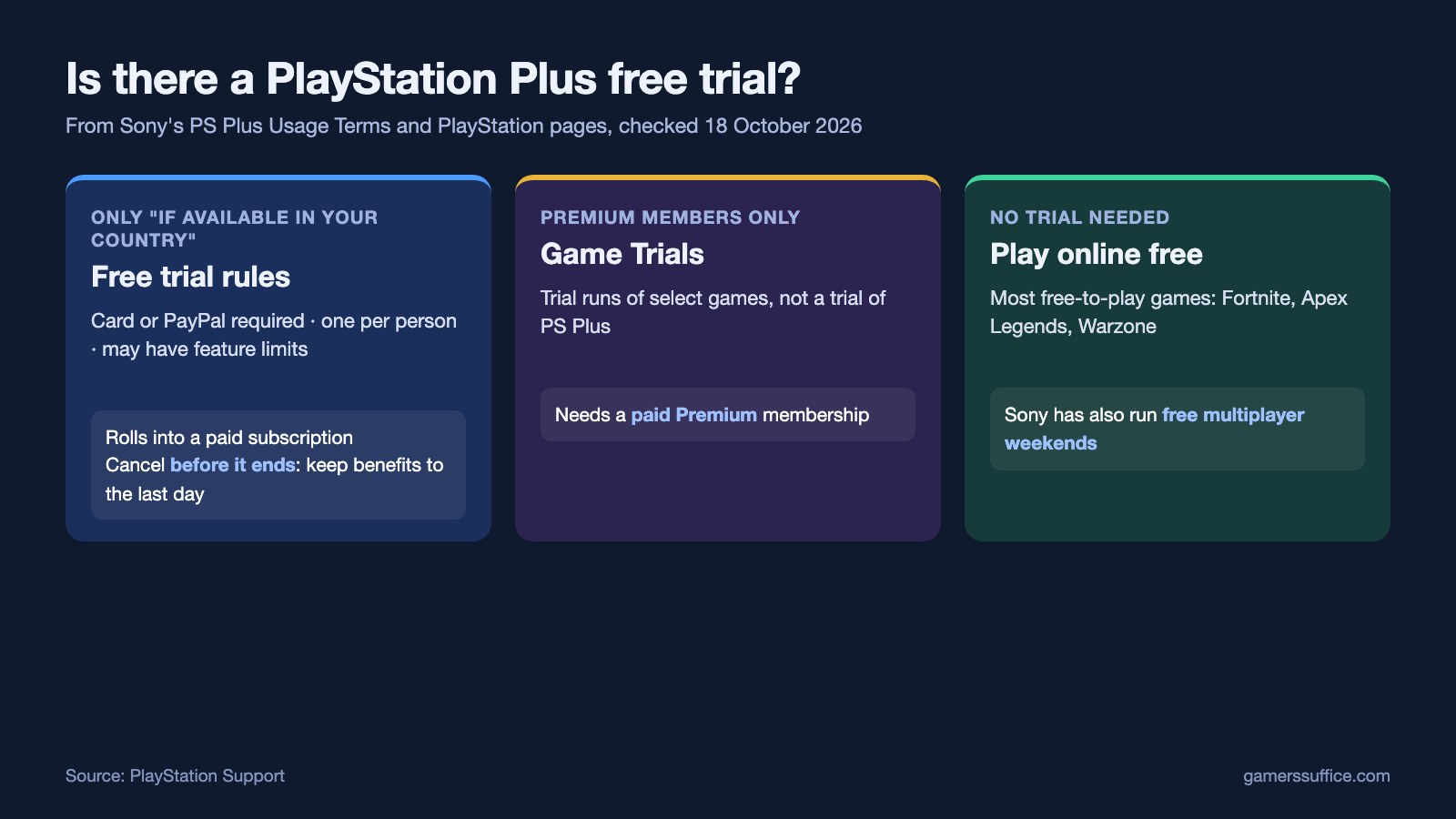
- You need a payment method. A credit/debit card or PayPal account must be registered to your account to sign up for a free trial.
- One per person. Sony says each person is eligible for only one free trial unless otherwise communicated.
- It turns into a paid subscription. At the end of the trial, it automatically rolls into an ongoing subscription with a recurring fee, charged at the frequency you chose when you signed up.
- It may be limited. Sony says certain other feature limitations may also apply to free trials to prevent fraud and misuse of content.
Sony is clear on how to avoid the charge: “If you want to prevent this, you can cancel your subscription prior to the end of the trial period.” Cancelling early doesn’t cut the trial short, either. Sony says you can keep using the benefits until the last day of the trial period.
The timing matters because of what the terms say about refunds. Cancelling stops future payments, but Sony says you won’t receive a refund for payments already made. If you miss the cutoff, read our guide to PlayStation Store refunds to see what Sony’s cancellation policy does and doesn’t cover.
How to cancel PlayStation Plus (trial or paid)
- On PS5, go to Settings > Users and Accounts.
- Select Account > Payment and Subscriptions > Subscriptions > PlayStation Plus.
- Select Cancel Subscription.
On the web, sign in to Account Management. Sony’s cancellation page says to select Subscription from the menu on the left, then Cancel Subscription next to PlayStation Plus.
Once the subscription ends, Sony says games you downloaded at no cost through it, such as monthly games, will no longer be available. Redeemed PlayStation Plus packs and avatars, and PlayStation Plus discounted purchases, are yours to keep.
“Game Trials” are not a free trial
The name causes confusion. Game Trials are a PlayStation Plus Premium benefit that lets you take select titles for a trial run with PS Plus Premium. Sony’s PS Plus page notes that Classics and Game Trials are available only to Premium/Deluxe subscribers. So you need a paid Premium membership to use them. Premium’s Classics Catalog is also the only way Sony documents to play PS3 games on a PS4. They are trials of games, not a trial of PlayStation Plus. On 18 October 2026, Sony’s list included Black Myth: Wukong, Baldur’s Gate 3, Alan Wake 2 and Stellar Blade.
Ways to play online free without a trial
If what you want is online multiplayer, you may not need PlayStation Plus at all:
- Free-to-play games. Sony’s PS Plus FAQ says “Most free to play games such as Fortnite, Apex Legends and Call of Duty Warzone do not require a membership.” Sony’s support page adds that you should check PlayStation Store to see whether PlayStation Plus is required for online play in a particular game.
- Free online multiplayer weekends. Sony has run them. Its PS Plus page still describes one held from July 3–5, 2026, with no PlayStation Plus required.
For bought games, though, Sony is just as clear: for the majority of games purchased on disc or downloaded from PlayStation Store, you need a PlayStation Plus membership plan to play online. Our explainer on whether you need PlayStation Plus to play online goes through the rules game by game. If you already pay for PS Plus and share a console, Console Sharing and Offline Play shows which of your benefits other accounts on that PS5 can use. On Nintendo Switch, the equivalent options are in our guide to free games on Nintendo Switch.
More PlayStation guides are in our Console section.
Sources