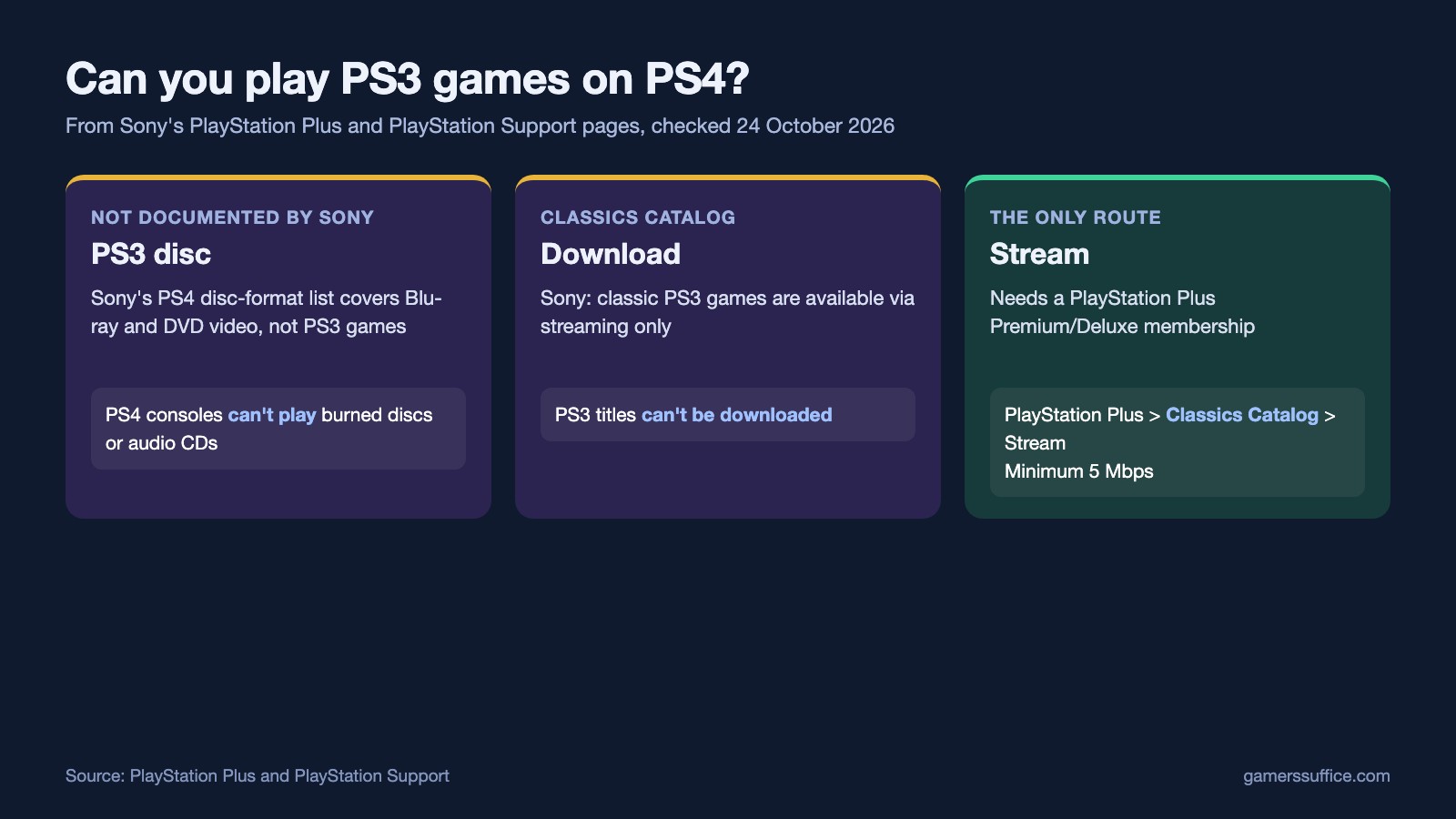
Not from a disc. The only way Sony documents to play PS3 games on a PS4 is by streaming them from the PlayStation Plus Classics Catalog, and that needs a PlayStation Plus Premium membership. Sony’s PS Plus page says the Classics Catalog has “a wide selection of classic PlayStation 3 games that are available via streaming only.”
That rules out downloading them, and it rules out a PS3 disc. Below is what Sony’s own pages say about the requirements, the steps on a PS4 and what streaming can’t do.
Why a PS3 disc won’t work on a PS4
Sony’s support page on the disc formats PS4 consoles support lists Blu-ray and DVD formats for video. It doesn’t list PS3 game discs. Sony’s PS4 disc troubleshooting page adds that “PS4™ consoles can’t play burned discs or audio CDs.”
When we checked both pages on 24 October 2026, neither one mentioned PS3. Streaming from the Classics Catalog is the only route Sony describes for PS3 games on PS4.
What you need
- PlayStation Plus Premium. Sony’s plan footnote is short: “Classics and Game Trials available only to Premium/Deluxe subscribers.” Essential and Extra members don’t get the Classics Catalog.
- A fast enough connection. Sony says you need the correct plan and “a broadband connection with a minimum speed of 5 Mbps.” For full HD, Sony’s rule is: “To stream in 1080p, you must be playing a game that supports that resolution, and have a broadband connection with a speed of at least 15 Mbps.”
- A PS4 or a PS5. Sony says “PlayStation Plus Premium members can also choose to stream games from the Game Catalog and Classics Catalog to their PS4 or PS5 console.”
How to stream PS3 games on PS4
- From the function screen, scroll right and select PlayStation Plus.
- Scroll down and select Classics Catalog.
- Select the game, then select Stream.
Expect a short wait sometimes. Sony says “When streaming, you may have to wait in a queue.” If your connection slows down, Sony says the streaming resolution may be reduced. It also suggests turning on your TV’s game mode, if your TV has one.
Where are START and SELECT?
Sony mapped the PS3’s START and SELECT commands to the touchpad on the DUALSHOCK 4 and the DualSense: “Click the left side for SELECT and the right for START, just like the DUALSHOCK 3 controller.” Sony adds that you have to click the touchpad. Touching or tapping it won’t work.
What doesn’t work while you stream
Sony lists several features that aren’t compatible with streaming, including:
- Share Play and Share Screen
- Remote Play
- PS VR
- Third-party controllers
- Keyboards
Add-ons are out too. Sony says DLC and add-on content isn’t supported when you stream a game. Some catalog games may also have an end date, after which Sony removes them from PlayStation Plus, and which games you can access varies by the subscriber’s age.
Before you pay for Premium
If all you want is online multiplayer, Premium is more than you need. Sony says all PlayStation Plus plans give access to the online modes that require a membership. Our guide to whether you need PlayStation Plus to play online covers that, and we also checked whether there is a PlayStation Plus free trial. If you’ve already moved to a PS5, see what Sony documents about playing PS2 games on a PS5.
More PlayStation guides are in our Console section.
Sources


